Land Administration · Public Notice
Apply for a Stand Online
Read the official allocation notice, then complete your application right here on the council website. You receive a tracking number the moment you submit — use it below to follow your progress at any time.
Applications are processed by UMP Zvataida RDC. No account is required.
Location
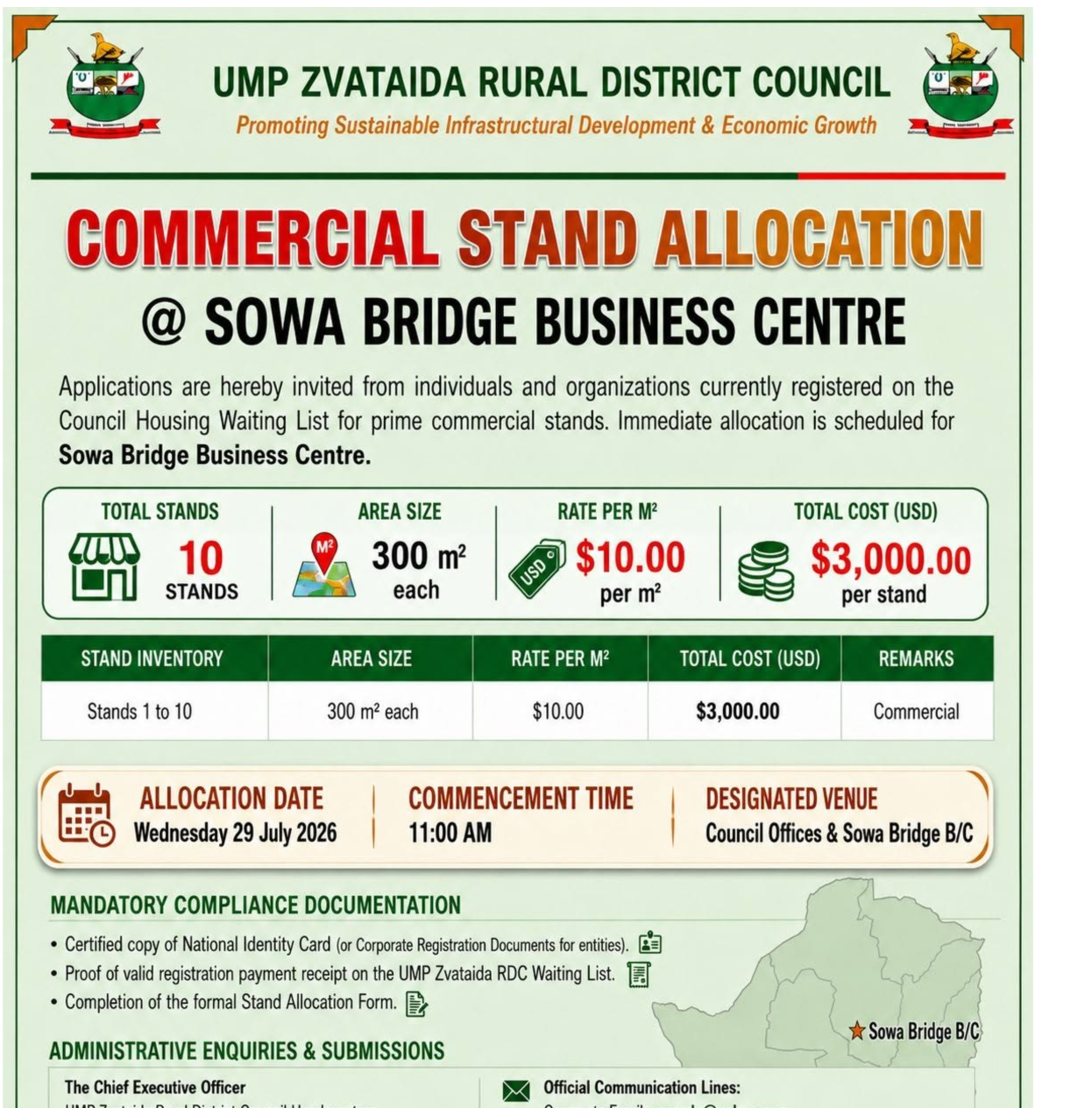
Sowa Bridge Business Centre
Stands available
10 commercial stands
Stand size
300 m² each
Allocation date
Wed 29 July, 11:00 AM
1 · Complete the form
Fill in your details, stand preference and supporting information on this page.
2 · Get a tracking number
A unique reference such as UMPZ-2026-A1B2C3 is issued to you instantly.
3 · Track progress
Enter the tracking number below to see live updates from the council system.
Official notices
Application tracking
Track your application
Your tracking number on its own is enough to see the status. Add the national ID or company registration number used on the application to reveal the full applicant details.